This AI video prompt generator workflow turns a still reference into motion direction. RefPrompt separates what the scene looks like from what should happen over time: camera path, subject action, pacing, environmental movement, continuity rules, and likely failure modes.
RefPrompt turns a reference frame into video-ready direction: camera path, scene duration, motion hierarchy, environmental movement, continuity rules, and negative constraints that protect the shot.
AI videoImage to videoCamera movementContinuity
What this workflow covers
Follow the reference analysis through reusable image and video prompts, a Image-to-video adaptation, a real result, practical limitations, and focused negative constraints.
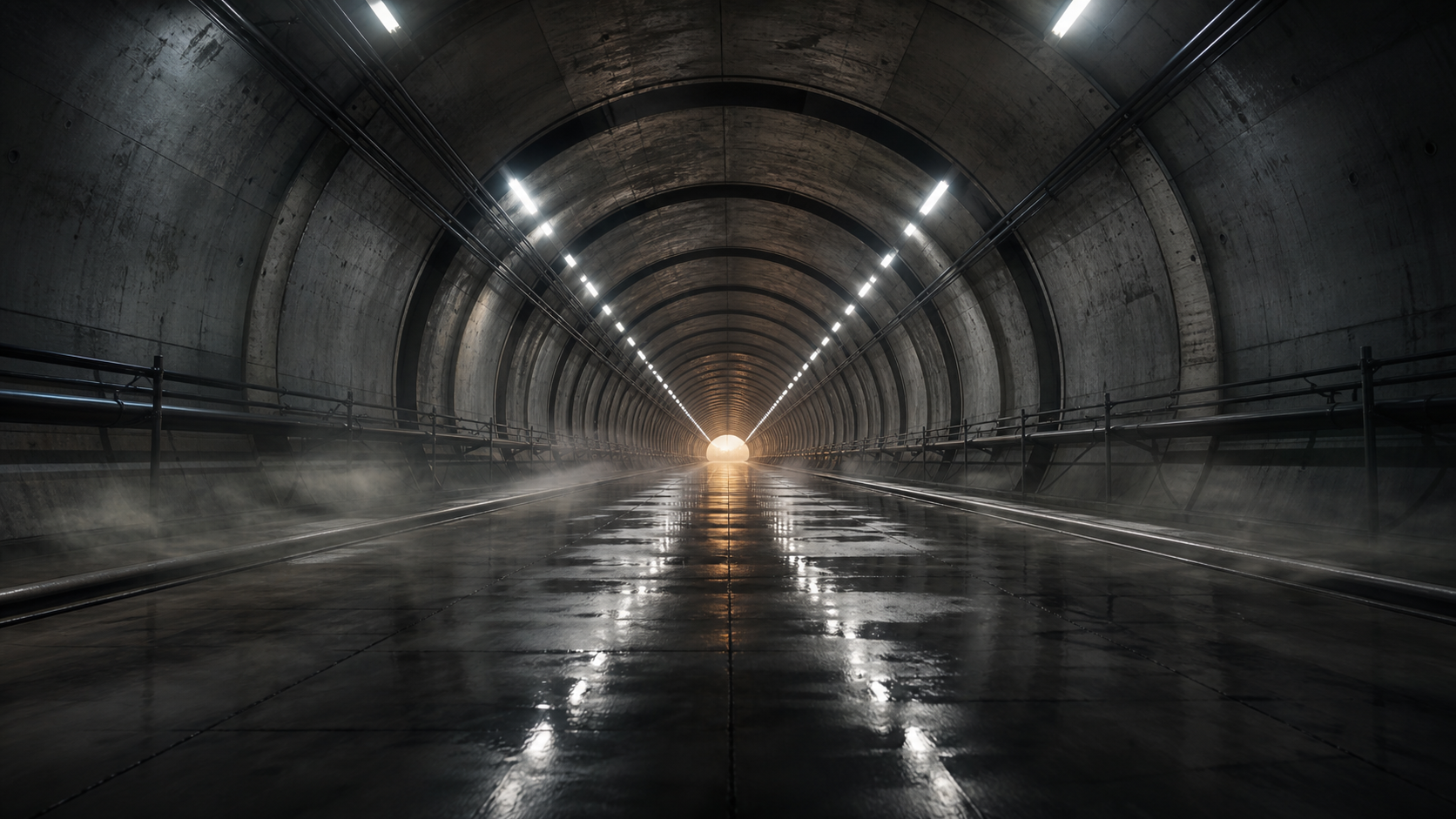
Reference direction: centered depth, wet reflections, concrete ribs, mist, and a camera path that can become a controlled forward glide.
Try it here
Try it here: turn an image into a video-prompt direction.
Upload a reference below and RefPrompt returns a copy-ready video / motion prompt — no sign-in, right on this page.
The style breakdown translates static visual cues into motion prompts: what should move, what should stay stable, and which scene details anchor the clip.
Camera path
A centered tunnel suggests one stabilized forward dolly rather than random panning or fast zooming.
Scene motion
Subtle mist and wet-floor reflections create motion while keeping architecture stable.
Continuity
Vanishing point, concrete ribs, floor reflections, and lighting must remain consistent across frames.
Timing
A short 5-6 second shot benefits from one clear camera move and no cuts.
Image Prompt
Image Prompt for AI video prompt planning
The still prompt creates a strong keyframe before animation.
Rain-slick underground transit tunnel, centered vanishing point, repeating concrete ribs, reflective wet floor, cool white overhead strip lights, faint amber exit glow, low floor mist, cinematic infrastructure keyframe, stable perspective, no people, no vehicles, no signage.
Video Prompt
Video Prompt
The video version adds camera movement, timing, and continuity.
Create a 6-second AI video shot. Start from a locked centered view down a wet concrete transit tunnel and move forward in one slow stabilized dolly. Let floor reflections and low mist drift subtly as the camera advances. Keep tunnel geometry, vanishing point, concrete ribs, lighting, and rails stable. No cuts, no handheld shake, no fast zoom, no changing architecture.
Midjourney Version
Midjourney Version
Midjourney can create the controlled keyframe before video generation.
Use this version for video tools that start from a generated keyframe.
Use the reference frame as the first frame. Animate a single slow forward camera glide for 6 seconds. Preserve the tunnel shape, concrete ribs, vanishing point, strip lights, wet floor, rails, mist, and reflection behavior. Avoid cuts, wobble, flicker, fast zooms, changing architecture, or new objects entering frame.
Result & Limits
AI video prompt result for a transit tunnel reference frame
The frame has a strong vanishing point, repeating concrete ribs, reflective floor, and visible atmosphere. Those cues make it ideal for a prompt that describes motion through space instead of just a static scene.
Generated result: a wet concrete transit tunnel with centered depth, repeating ribs, mist, and strong image-to-video motion cues.
Prompt used in this case
The video prompt asks for a six-second stabilized dolly forward, subtle floor reflection movement, unchanged tunnel geometry, and no cuts or wobble.
Result read
The generated keyframe preserves tunnel depth and reflection logic. The main risk in video is geometry drift, so the prompt repeats stable vanishing point, unchanged concrete ribs, and controlled movement.
What worked
The vanishing point gives the camera a natural forward path.
The wet floor adds visible motion without needing fast action.
A subject-free scene reduces identity and limb-continuity errors.
Errors and limitations
Geometry drift
Architecture may bend during generation. Repeat stable lines, unchanged tunnel, and fixed vanishing point.
Reflection flicker
Wet floors can shimmer too much. Ask for slow reflection drift rather than active light effects.
Overactive camera
Fast zooms and handheld shake make video models unstable. Use one simple camera move.
Negative Prompt
Negative Prompt
Video prompts need constraints for temporal stability.
warped tunnel, bending concrete ribs, flickering reflections, unstable vanishing point, jitter, handheld shake, jump cuts, fast zoom, rolling shutter, changing rails, noisy shadows, overexposed lights, fisheye distortion, new objects, low-resolution wet floor texture.
CTA
Reference in, structured prompts out.
Use the same page structure inside RefPrompt: start from a visual reference, then copy the prompt version that fits the tool and channel.
It should include the visual reference, shot length, camera movement, subject or scene motion, pacing, continuity rules, and negative constraints. RefPrompt structures those details from the source image or video.
How is an AI video prompt different from an image prompt?
An image prompt describes one frame. A video prompt also describes what changes over time: camera path, subject action, environmental motion, timing, transitions, and what must stay stable.
Can I use a still image as the source for a video prompt?
Yes. A still image can become a keyframe. The prompt then adds movement, duration, continuity, and negative constraints for the video model.