Reference

Veo prompt generator workflow for product video

This Veo prompt generator workflow turns a product reference into a short commercial video direction. RefPrompt keeps the product, material behavior, camera move, sequence timing, and constraints separate so the prompt does not become a vague cinematic description.

RefPrompt adapts a still product reference for Veo by adding shot length, camera move, light behavior, material continuity, and product-safe negative constraints.

VeoProduct videoImage to videoSkincare ad

What this workflow covers

Use this Veo prompt generator page when you need a reference image, extracted art direction, a still-image prompt, a video prompt, a Midjourney version, a Veo version, and a focused negative prompt in one copy-ready workflow.

Veo video promptVeo image to video promptVeo product ad promptAI product video promptskincare video promptcommercial AI video promptGoogle Veo promptimage-to-video product prompt
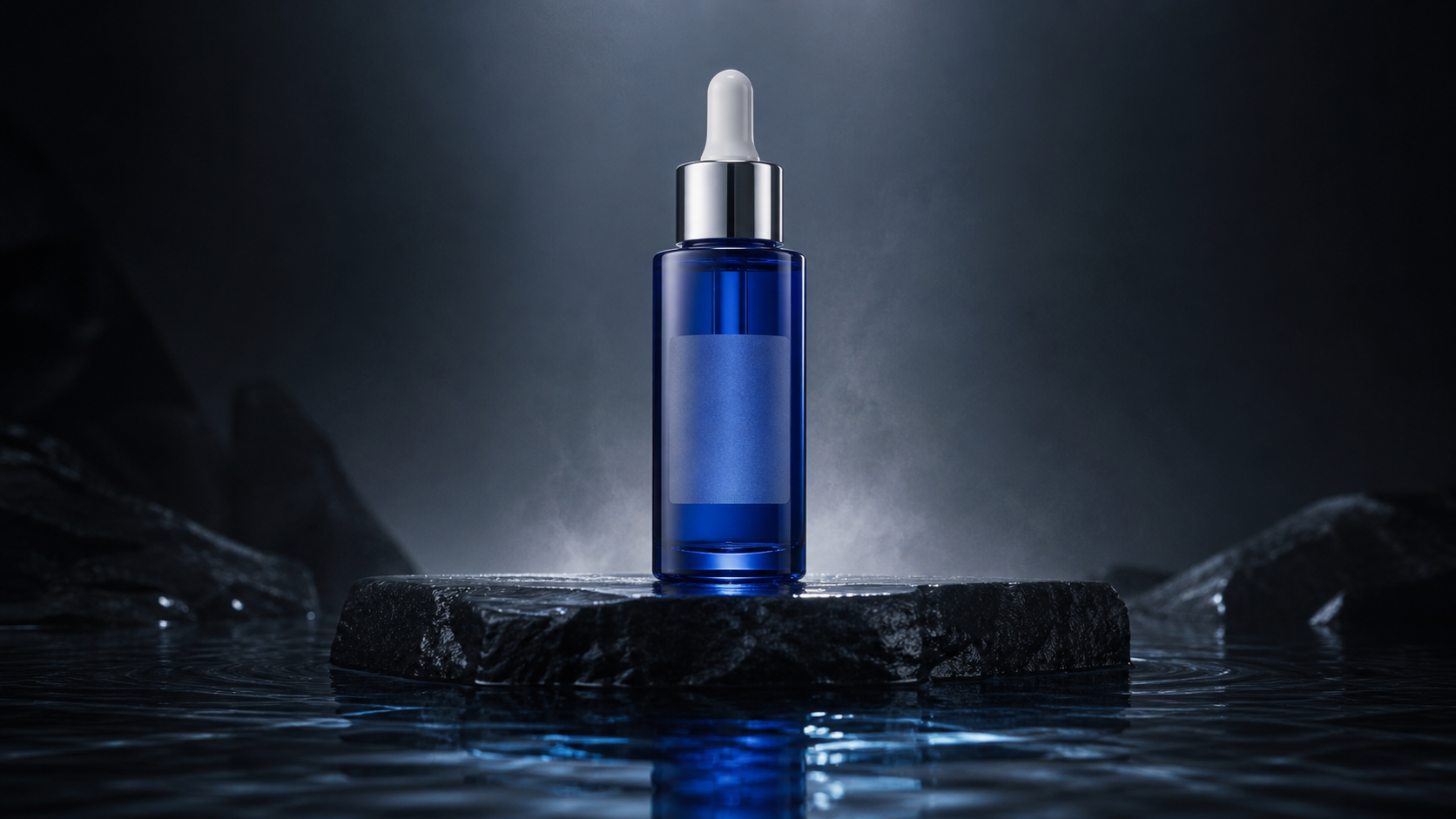
Generated cobalt serum bottle reference used for a Veo prompt generator workflow
Reference direction: centered skincare product, cobalt glass, cold rim light, water reflection, and restrained atmospheric motion.

Style Breakdown

Style Breakdown for Veo prompt generator

The breakdown focuses on product-video controls: a stable hero object, material clarity, atmospheric motion, reflection behavior, and a single readable camera move.

Hero object
The serum bottle stays centered, upright, and unchanged so the product remains recognizable throughout the clip.
Material
Cobalt glass, cap shape, liquid level, blank label area, and reflection need explicit preservation.
Motion
Use one slow camera push and one light sweep instead of multiple effects competing for attention.
Atmosphere
Faint mist can add depth, but it should stay behind the product and move slowly.

Image Prompt

Image Prompt for Veo prompt generator planning

The still prompt creates a product-safe keyframe.

Luxury cobalt serum bottle centered on a wet dark stone pedestal, translucent blue glass, clean blank frosted label area, silver cap, cold rim light from behind, restrained mist in the background, premium skincare campaign mood, realistic glass refraction, water reflection, no extra objects, no text.

Video Prompt

Video Prompt

The general video prompt creates a simple commercial sequence.

Create a 6-second luxury skincare product video. The camera performs a slow push-in toward the centered cobalt serum bottle while a cold rim light sweeps once across the glass. Faint mist moves behind the bottle and the water reflection ripples subtly. Keep the bottle, cap, liquid level, label area, reflection, and shadow stable throughout.

Midjourney Version

Midjourney Version

Midjourney can generate the product-safe starting frame.

luxury cobalt serum bottle, translucent blue glass, centered product, wet dark stone pedestal, cold rim light, blank frosted label area, restrained mist, water reflection, premium skincare campaign --ar 16:9 --style raw --v 6

Veo Version

Veo Version

Veo receives the shot as timed product direction.

Generate a 6-second product film from the reference frame. Start with the cobalt serum bottle centered on a wet stone pedestal. Move the camera forward slowly in one continuous push-in. A cold rim light travels once across the glass while faint mist drifts behind the product and water reflections move subtly. Preserve bottle geometry, cap shape, liquid level, blank label area, reflection, and shadow. No hands, no extra bottles, no text, no label morphing, no fast cuts.

Result & Limits

Veo prompt generator result for a skincare product film

The skincare reference has a clear hero object, cobalt glass material, water reflection, and atmosphere. The Veo prompt turns that into a short product film with stable bottle geometry and a single controlled camera move.

Generated cobalt serum bottle result from a Veo prompt generator case study
Generated result: cobalt serum bottle on wet stone with cold rim light, water reflection, blank label area, and restrained mist.

Prompt used in this case

The Veo version asks for a six-second push-in, cool rim-light sweep, faint mist, stable bottle shape, unchanged blank label area, and no extra objects.

Result read

The generated result keeps the cobalt glass, water reflection, and premium skincare mood. The main risk is warped bottle geometry or label artifacts, so the prompt protects cap shape, liquid level, blank label area, and reflection.

What worked

  • The centered product gives Veo a stable hero object.
  • Mist and light movement add motion without changing the bottle.
  • The wet stone surface makes the shot feel commercial and controlled.

Errors and limitations

Bottle warping
Glass bottles can bend or change cap shape. Preserve geometry directly in the prompt.
Label artifacts
If exact label text matters, place it manually later or ask for a blank label area.
Excess atmosphere
Mist can overwhelm the product. Use faint, slow, background-only movement.

Negative Prompt

Negative Prompt

Protect the product from the most common AI video failures.

warped bottle, melted glass, changing cap, fake label text, extra bottles, liquid sloshing, crooked reflection, excessive mist, overexposed highlights, floating product, camera shake, jump cut, fast zoom, plastic material, cluttered props, inconsistent shadow.

CTA

Reference in, structured prompts out.

Use the same page structure inside RefPrompt: start from a visual reference, then copy the prompt version that fits the tool and channel.

Try this workflow with RefPrompt.

Frequently asked questions about Veo prompt generator

What should a Veo prompt generator include?

A Veo prompt should include shot length, camera movement, product or subject behavior, lighting changes, continuity rules, and negative constraints. This workflow uses those parts to build a product video prompt from a reference.

Can Veo prompts start from a still image?

Yes. A still image can act as a keyframe. The prompt then describes how the camera, light, atmosphere, and product details should behave over time.

How do I keep a product stable in Veo?

Name the exact details that must not change, such as bottle geometry, cap shape, label area, liquid level, reflection, and shadow. Also avoid too many camera moves in one short clip.

Related prompt workflows

Image-to-prompt generatorAll prompt workflowsSeedream 5.0 ProSeedance 2 generatorKling prompt generatorMidjourney prompt from imageAI product ad promptsperfume ad promptssneaker campaign promptsRunway video prompt generatorimage to prompt generatorChatGPT image prompt generatorAI video prompt generatornegative prompt generatorimage to video prompt generatorproduct video prompt generatorPika prompt generatorreference image prompt generatorprompt template generatorvideo to prompt generatorMP4 to prompt generatorshot by shot prompt generatorcamera movement prompt generatorvideo storyboard prompt generator