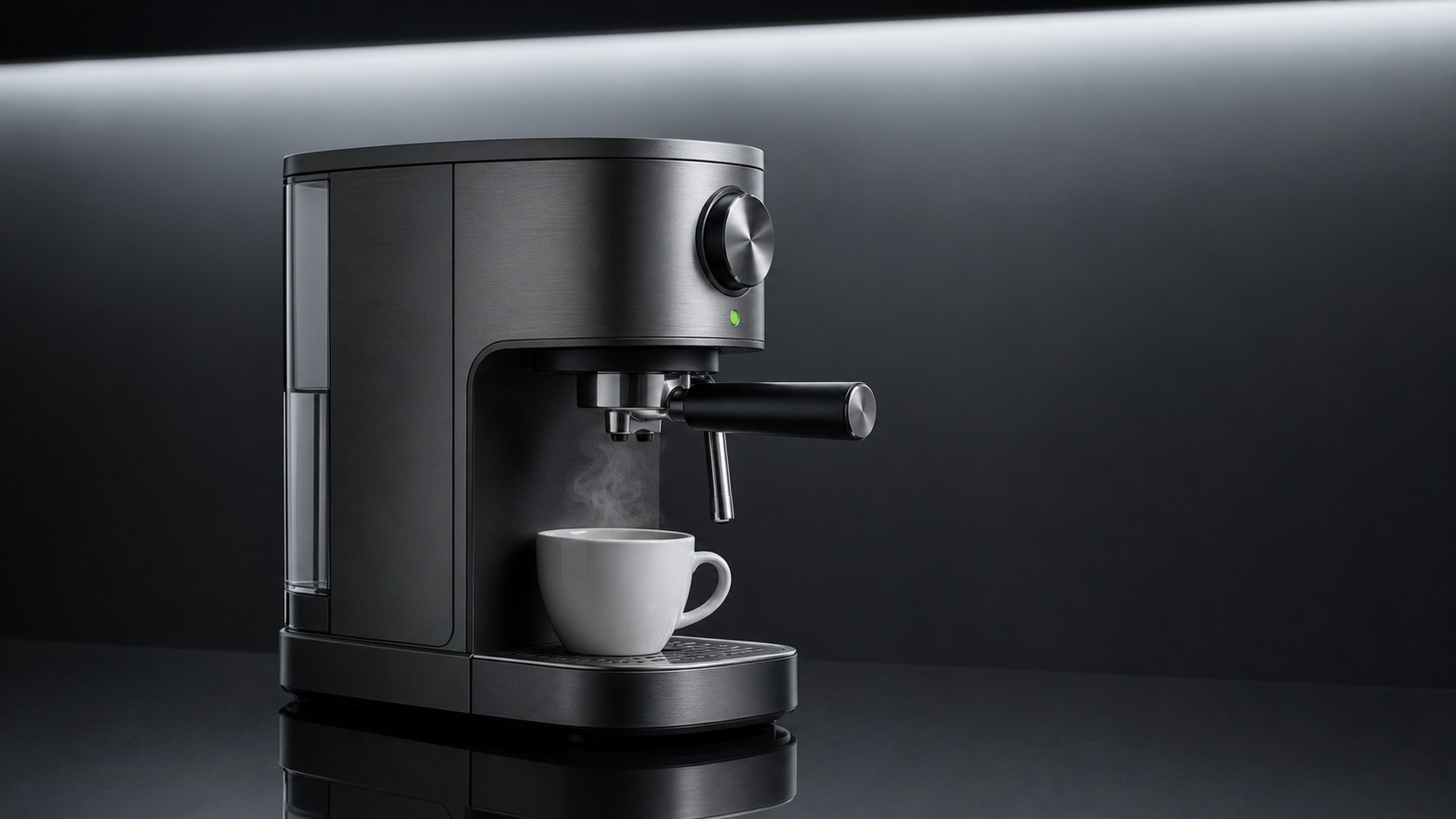
This product video prompt generator workflow turns a product keyframe into a short commercial shot. RefPrompt keeps the object, surface, lighting, camera move, atmosphere, and constraints separate so the product does not morph during animation.
RefPrompt turns product references into video-safe prompts by naming the hero object, camera path, material behavior, reflection rules, and product details that must not change.
Product videoAI adsCommercial promptImage to video
What this workflow covers
Follow the reference analysis through reusable image and video prompts, a Product video adaptation, a real result, practical limitations, and focused negative constraints.
Reference direction: stable appliance hero, brushed metal, steam, controlled reflection, and copy-friendly dark studio space.
Use your own reference
Turn your own visual into a structured prompt.
Start with an image in the free web tool, or use the Chrome extension on an image or video already open in your browser.
The breakdown focuses on the controls that keep a product ad believable: shape, surface, lighting, motion, and restraint.
Hero stability
The machine, cup, handle, knob, and reflection must remain fixed across the shot.
Material behavior
Brushed metal needs controlled highlights rather than harsh sparkle.
Motion accent
Steam and a light sweep add life without morphing the object.
Ad layout
Clean negative space leaves room for copy or cropping.
Image Prompt
Image Prompt for product video planning
The still prompt creates a product-safe keyframe.
Premium graphite espresso machine on black acrylic, white ceramic cup below the spout, faint steam, brushed metal texture, controlled studio reflection, soft overhead strip light, clean dark negative space, no logo, no text.
Video Prompt
Video Prompt
The video version turns the still into a commercial reveal.
Create a 6-second product video. Slowly push in toward the espresso machine while faint steam rises from the cup and one soft light sweep moves across the brushed metal. Keep machine geometry, cup position, knob, handle, reflection, and background stable. No hands, no text, no cuts, no excessive steam.
Midjourney Version
Midjourney Version
Midjourney creates the product-safe keyframe.
premium graphite espresso machine, white ceramic cup, faint steam, black acrylic studio surface, brushed metal highlights, clean dark negative space, commercial product photography --ar 16:9 --style raw --v 6
Product video Version
Product Video Version
Use this version in video models.
Use the reference frame as a product keyframe. Animate a 6-second slow push-in with faint steam and one controlled light sweep. Preserve the espresso machine shape, cup, knob, handle, reflection, and shadow. Avoid new props, hands, labels, fast camera moves, warped panels, or changing product details.
Result & Limits
Product video prompt result for an espresso machine keyframe
The reference has a stable hero product, clear material, cup placement, steam, and a clean reflection. That makes it suitable for a short product reveal where the product must not change.
Generated result: a graphite espresso machine with white cup, faint steam, controlled reflections, and stable product geometry.
Prompt used in this case
The prompt asks for a six-second push-in, subtle steam, one light sweep, stable machine geometry, unchanged cup, and clean studio background.
Result read
The result is commercially usable because the appliance shape and cup placement are readable. The main risk is excessive steam or warped controls, so those details are constrained.
What worked
The product has a strong silhouette and clear material hierarchy.
Steam adds motion without changing the hero object.
Negative space makes the frame useful for ad copy.
Errors and limitations
Geometry drift
Appliance panels and knobs can shift during video generation. Preserve them explicitly.
Steam overload
Too much steam can hide the product. Keep it faint and localized.
Reflection errors
Glossy surfaces can flicker, so the prompt should ask for controlled reflections.