This image to video prompt generator workflow starts from a still keyframe and turns it into motion direction. RefPrompt separates the static look from the timed shot: camera path, scene motion, pacing, continuity, and failure modes.
RefPrompt adapts the image for video by adding shot length, camera path, environmental motion, continuity rules, and negative constraints that protect the original frame.
Image to videoAI videoCamera movementKeyframe
What this workflow covers
Follow the reference analysis through reusable image and video prompts, a Image-to-video adaptation, a real result, practical limitations, and focused negative constraints.
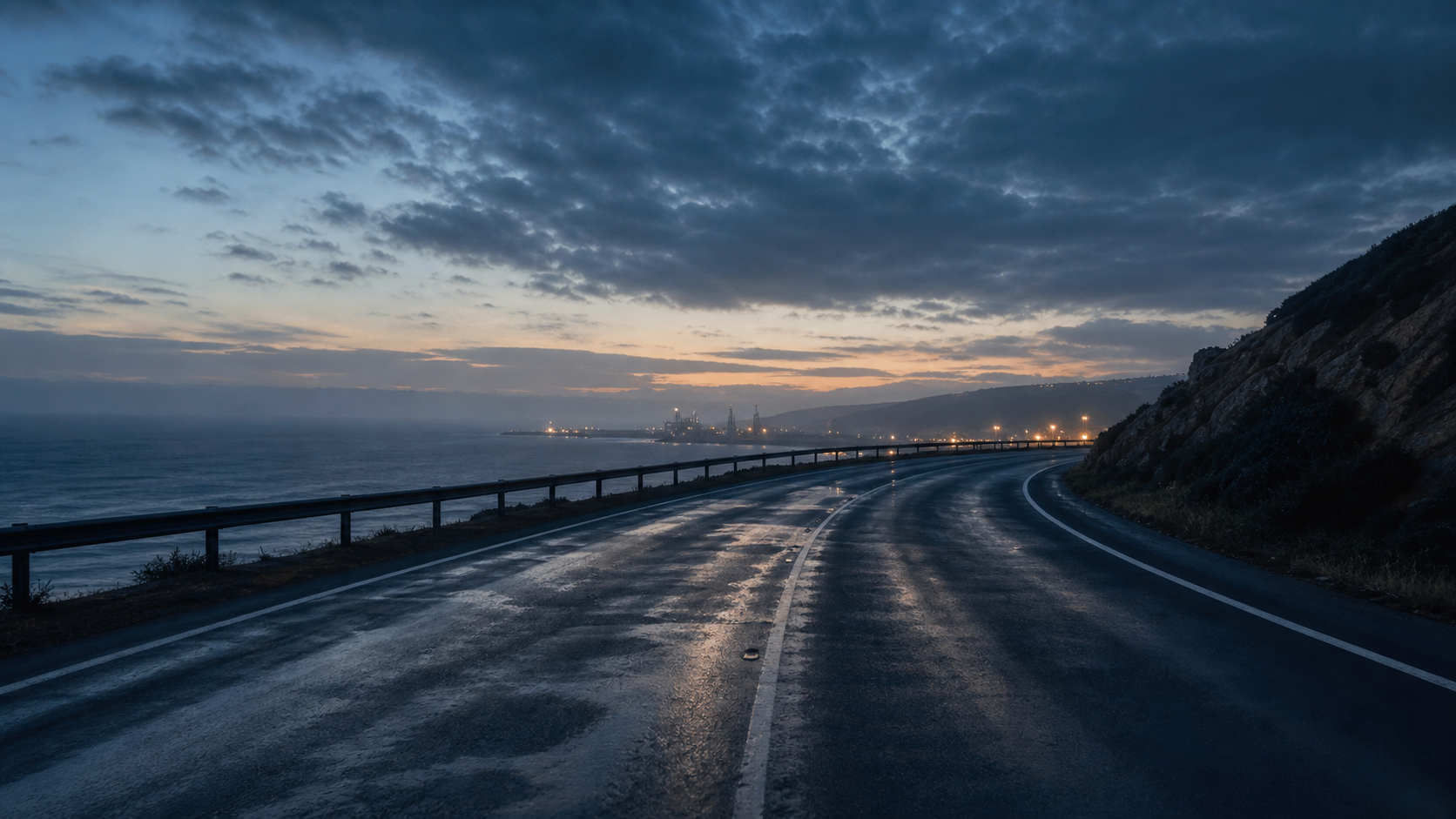
Reference direction: blue-hour road, wet reflections, horizon depth, and a single forward camera path.
Try it here
Try it here: turn an image into a video-prompt direction.
Upload a reference below and RefPrompt returns a copy-ready video / motion prompt — no sign-in, right on this page.
The breakdown turns static image details into motion-ready instructions: what moves, what stays fixed, and how the shot should progress.
Camera path
The road curve suggests a slow forward glide with a stable horizon.
Atmosphere
Blue-hour haze and distant lights can shift subtly without changing the scene.
Continuity
Guardrail, road markings, wet reflections, and horizon must remain consistent.
Timing
A short 6-second shot benefits from one simple movement and no cuts.
Image Prompt
Image Prompt for image-to-video planning
The still prompt creates a controlled keyframe first.
Blue-hour coastal road keyframe, wet asphalt, gentle road curve, low guardrail, distant industrial lights, ocean haze, stable horizon, cinematic commercial mood, no cars, no people, no signs.
Video Prompt
Video Prompt
The video prompt adds camera path and continuity rules.
Create a 6-second image-to-video shot. Start from the reference frame and move forward slowly along the wet coastal road. Keep the horizon, guardrail, road curve, distant lights, and blue-hour atmosphere stable. Let reflections shimmer subtly. No cars, no people, no cuts, no fast zoom, no warped road lines.
Midjourney Version
Midjourney Version
Midjourney can create the starting keyframe.
blue hour coastal road, wet asphalt, gentle road curve, ocean haze, distant industrial lights, stable horizon, cinematic commercial keyframe, no cars --ar 16:9 --style raw --v 6
Image-to-video Version
Image-to-video Version
Use this version in image-to-video tools.
Use the reference as the first frame. Animate a single slow forward glide for 6 seconds along the road. Preserve road geometry, guardrail, horizon, wet reflections, distant lights, and sky color. Avoid cuts, jitter, fast zooms, changing weather, new vehicles, or warped lane lines.
Result & Limits
Image to video prompt result for a coastal road keyframe
The reference has a clear road path, wet asphalt reflections, distant lights, and open sky. That gives an image-to-video model a simple direction for camera movement without requiring subject animation.
Generated result: a wet coastal road at blue hour with stable horizon, reflective asphalt, and clear image-to-video camera cues.
Prompt used in this case
The prompt turns the keyframe into a slow forward glide along the road, preserving horizon, road curve, guardrail, wet reflection, and blue-hour lighting.
Result read
The generated keyframe is strong for a six-second establishing shot. The main risk is road-line warping or overactive camera motion, so the prompt keeps the move simple and stable.
What worked
The road curve creates a natural forward camera path.
Wet reflections add visible motion potential without adding clutter.
A subject-free frame reduces identity and object-continuity risks.
Errors and limitations
Road warping
Road lines and guardrails can bend during video generation, so stability constraints matter.
Sky drift
Clouds can become too active. Ask for slow atmospheric change only.
Fast motion risk
A calm establishing shot works better with one slow camera move than with rapid driving movement.
Negative Prompt
Negative Prompt
Protect the shot from temporal artifacts.
warped road lines, bending guardrail, unstable horizon, flickering reflections, fast zoom, jump cut, camera shake, new cars, new people, changing sky color, noisy asphalt, fisheye distortion, rolling shutter.
CTA
Reference in, structured prompts out.
Use the same page structure inside RefPrompt: start from a visual reference, then copy the prompt version that fits the tool and channel.