This camera movement prompt generator workflow focuses on one of the hardest parts of AI video prompting: describing how the camera moves. RefPrompt can turn observed motion into practical language like slow dolly forward, lateral tracking shot, tilt up, push-in, orbit, or handheld drift.
RefPrompt extracts camera behavior from video references and turns it into prompt instructions that separate camera movement, lens feel, subject action, and continuity constraints.
Camera movementAI videoDollyMotion prompt
What this workflow covers
Follow the reference analysis through reusable image and video prompts, a Camera movement adaptation, a real result, practical limitations, and focused negative constraints.
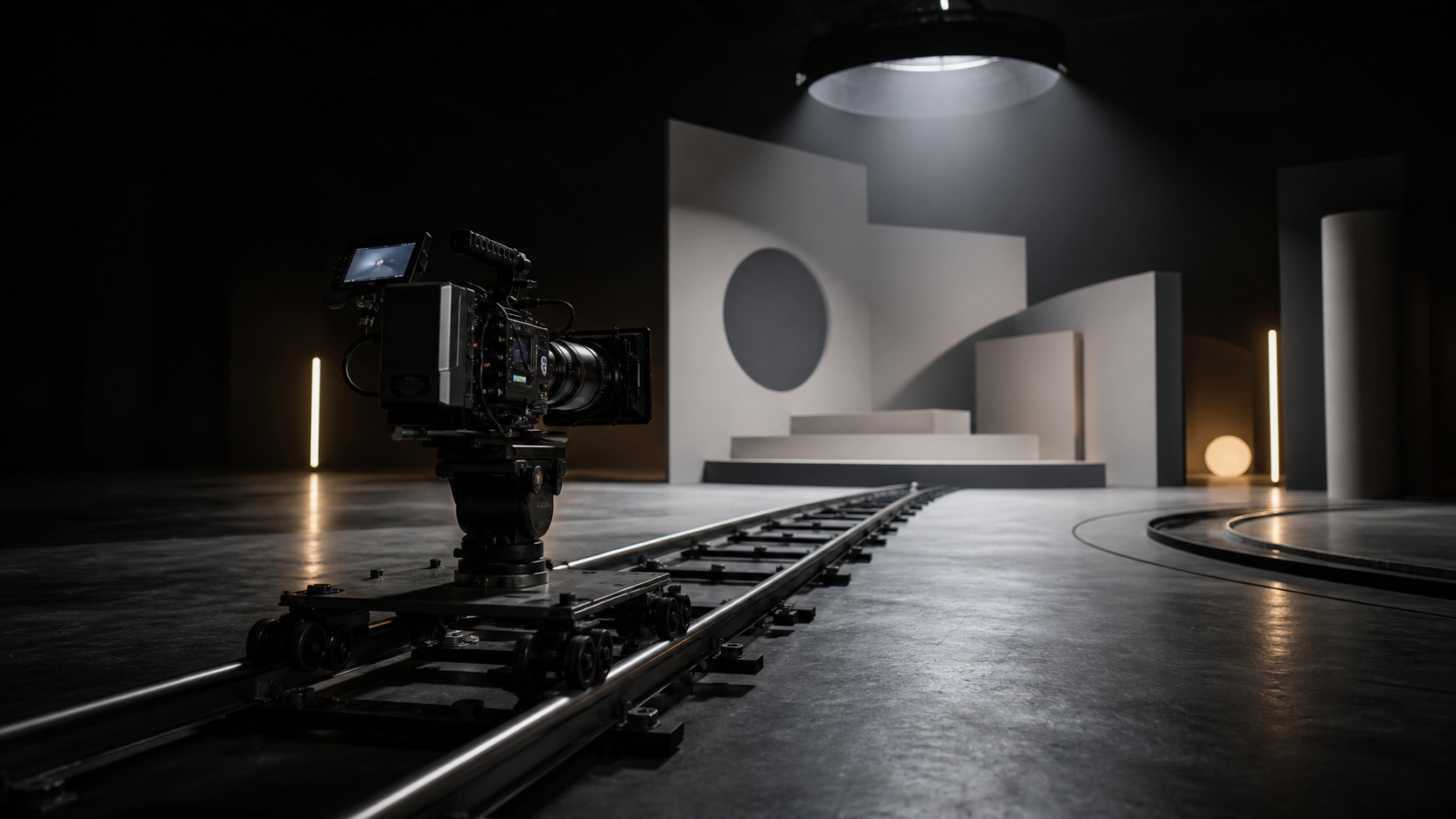
Reference direction: dolly track, camera path, geometric set, and physical cues for promptable camera movement.
Use your own reference
Turn your own visual into a structured prompt.
Start with an image in the free web tool, or use the Chrome extension on an image or video already open in your browser.
The breakdown focuses on camera language creators can actually reuse in AI video tools.
Movement type
Name the motion: dolly, push-in, tracking, tilt, pan, orbit, handheld, or locked-off.
Speed
A slow glide, fast whip, or subtle drift changes the whole shot.
Direction
Movement needs a direction: forward, backward, left-to-right, upward, or around the subject.
Stability
Prompt whether the shot is stabilized, handheld, smooth, or intentionally shaky.
Image Prompt
Image Prompt for camera movement visual
The still prompt visualizes camera path.
Cinema camera on low dolly track in a dark studio, geometric set ahead, rails leading forward, controlled rim light, technical filmmaking mood, no logos, no readable text.
Video Prompt
Video Prompt
The video prompt describes camera extraction.
Analyze the video and extract camera movement. Identify whether the shot is locked, panning, tilting, dollying, tracking, orbiting, zooming, or handheld. Include speed, direction, lens feel, subject relationship, and stability constraints.
Midjourney Version
Midjourney Version
Midjourney creates the camera-path visual.
cinema camera on dolly track, dark studio, geometric set, rails leading forward, controlled rim light, technical cinematography mood, no text --ar 16:9 --style raw --v 6
Camera movement Version
Camera Movement Version
This is the target output structure.
Extract camera movement from the uploaded video. Return movement type, speed, direction, lens feel, framing change, subject relationship, stabilization, and negative constraints for reproducing the motion.
Result & Limits
Camera movement prompt result for a dolly-track reference
The reference makes camera movement visible through rails, perspective, and a set destination. That is the same logic RefPrompt applies when it converts movement from a video into prompt language.
Generated result: a cinema camera on dolly track aimed at a geometric set, with clear forward movement cues.
Prompt used in this case
The prompt asks for a slow dolly forward along rails, stable lens height, controlled parallax, soft rim light, and no handheld shake.
Result read
The generated result is useful because it visualizes camera direction physically. The main risk in real video prompting is confusing camera movement with subject movement, so the page separates them.
What worked
The rails make the camera path easy to understand.
The geometric set gives parallax cues for video prompting.
The scene is specific to camera movement without relying on UI text.
Errors and limitations
Camera vs subject
A prompt should state whether the camera moves, the subject moves, or both.
Overactive movement
Multiple camera moves in one short clip can destabilize video generation.
Lens ambiguity
If the clip feels wide, macro, or telephoto, include that lens feel in the prompt.
Negative Prompt
Negative Prompt
Avoid unstable camera reproduction.
wrong camera direction, unwanted handheld shake, fast zoom, jitter, rolling shutter, warped perspective, changing lens, unstable subject framing, jump cut, motion smear.
CTA
Reference in, structured prompts out.
Use the same page structure inside RefPrompt: start from a visual reference, then copy the prompt version that fits the tool and channel.