This image to prompt generator workflow shows how RefPrompt reads a reference image as reusable creative direction instead of a loose caption. The page separates composition, material, light, camera, model-specific phrasing, and negative constraints so the same image can guide more than one AI tool.
RefPrompt converts the reference into structured prompt layers: subject, composition, material, lighting, camera, style, and constraints. That makes the output easier to adapt for Midjourney, ChatGPT Image, video tools, or a new campaign direction.
Image to promptReference analysisPrompt workflowVisual direction
What this workflow covers
Follow the reference analysis through reusable image and video prompts, a ChatGPT Image adaptation, a real result, practical limitations, and focused negative constraints.
The style breakdown identifies the promptable parts of the image: not just what is in frame, but which visual decisions need to survive the next generation.
Composition
Clean horizontal frame, balanced negative space, low camera height, and a stable architectural vanishing line.
Materials
Soft plaster, concrete, warm wood, and matte surfaces that create a calm premium interior read.
Lighting
Natural side daylight, soft shadows, restrained highlights, and no harsh spotlight or colored glow.
Reuse logic
The same reference can become a still image prompt, a video keyframe, a Midjourney shorthand, or a negative prompt.
Image Prompt
Still-image prompt from the reference
The still-image prompt keeps the visible design choices explicit.
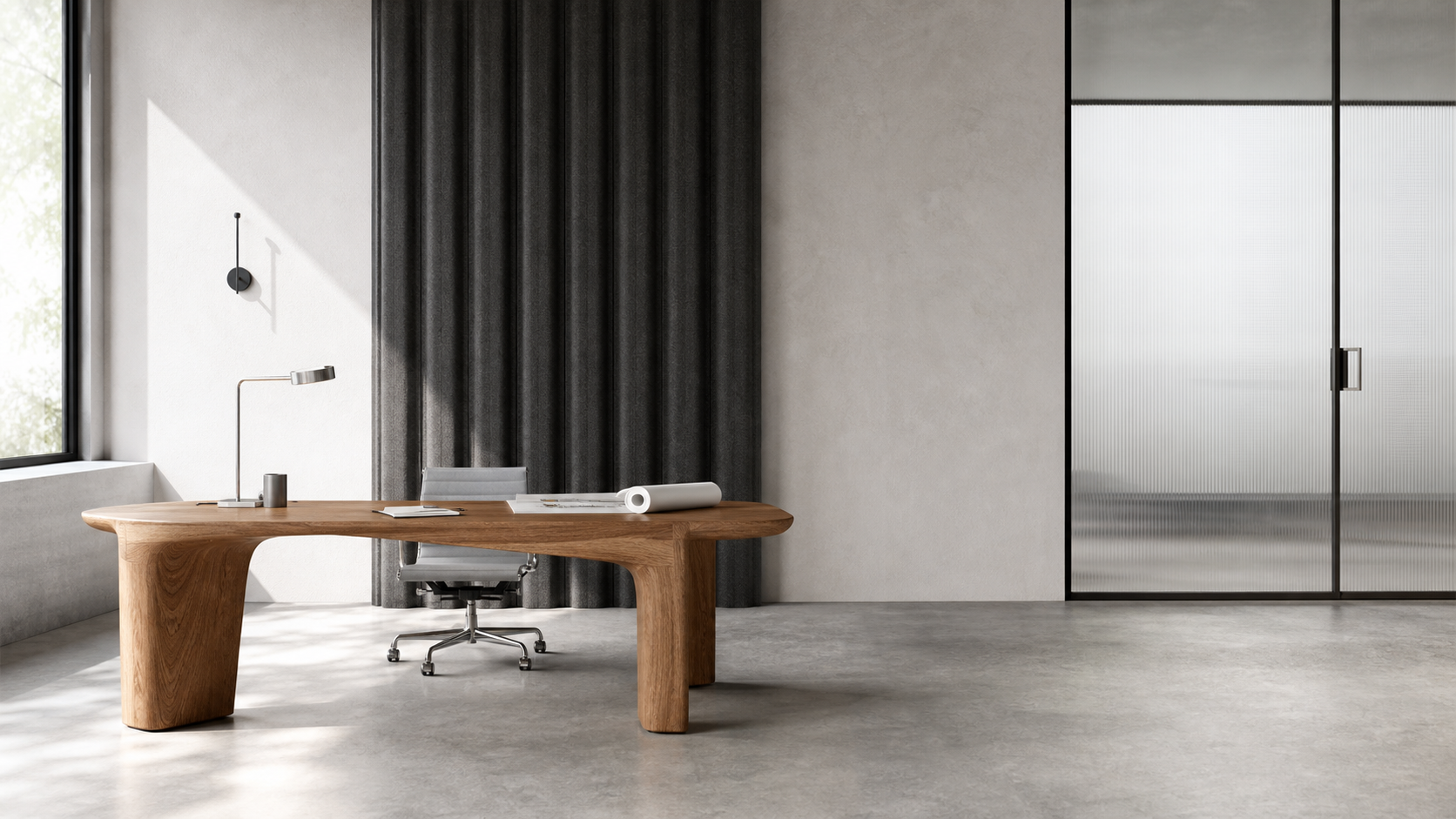
Minimal architectural interior, calm modern workspace, soft plaster walls, smooth concrete floor, warm wood accents, natural daylight entering from the left, low eye-level camera, balanced negative space, quiet premium design, realistic material texture, restrained shadows, no clutter, no wall art, no people.
Video Prompt
Video Prompt
The video prompt turns the reference into a slow spatial reveal.
Create a slow 6-second interior reveal. Start on the clean plaster wall and concrete floor, then glide gently forward to reveal warm wood detail and daylight entering from the left. Keep the space calm, realistic, and uncluttered. Preserve the same material palette, camera height, soft shadows, and negative space throughout the shot.
ChatGPT Image receives a more literal design brief with preserved constraints.
Create a realistic minimal interior image based on this reference direction. Keep the room uncluttered, use soft plaster, concrete, and warm wood, place daylight from the left, and preserve generous negative space. Avoid decorative props, people, fake text, dramatic colors, or glossy surfaces. The result should feel like a calm premium workspace, not a showroom render.
Result & Limits
Image to prompt generator result for a clean workspace reference
The generated reference works because it has clear spatial hierarchy, natural light direction, readable material contrast, and quiet negative space. RefPrompt turns those visible choices into prompt fields that can be reused instead of copying the image literally.
Generated result: a clean architectural workspace with sculptural oak, concrete, frosted glass, and controlled negative space.
Prompt used in this case
The prompt asks for a restrained architectural workspace with concrete, oak, frosted glass, daylight from the left, graphite panels, and no decorative clutter.
Result read
The generated result keeps the calm architecture, material palette, and readable light logic. The main production risk is generic minimalism, so prompts should include specific materials, camera height, and protected negative space.
What worked
The material language is specific enough to avoid a generic empty room.
The camera height and daylight direction make the result easier to reproduce.
Negative space stays useful for product, editorial, or presentation layouts.
Errors and limitations
Generic minimalism
Short prompts often produce bland interiors. Add materials, lens, lighting direction, and surface behavior.
Scale drift
Rooms can feel too large or too small unless the prompt defines camera height and architectural proportions.
Over-decoration
Image models may add plants, chairs, or wall art. Use negative constraints when clean space matters.
Result & Limits
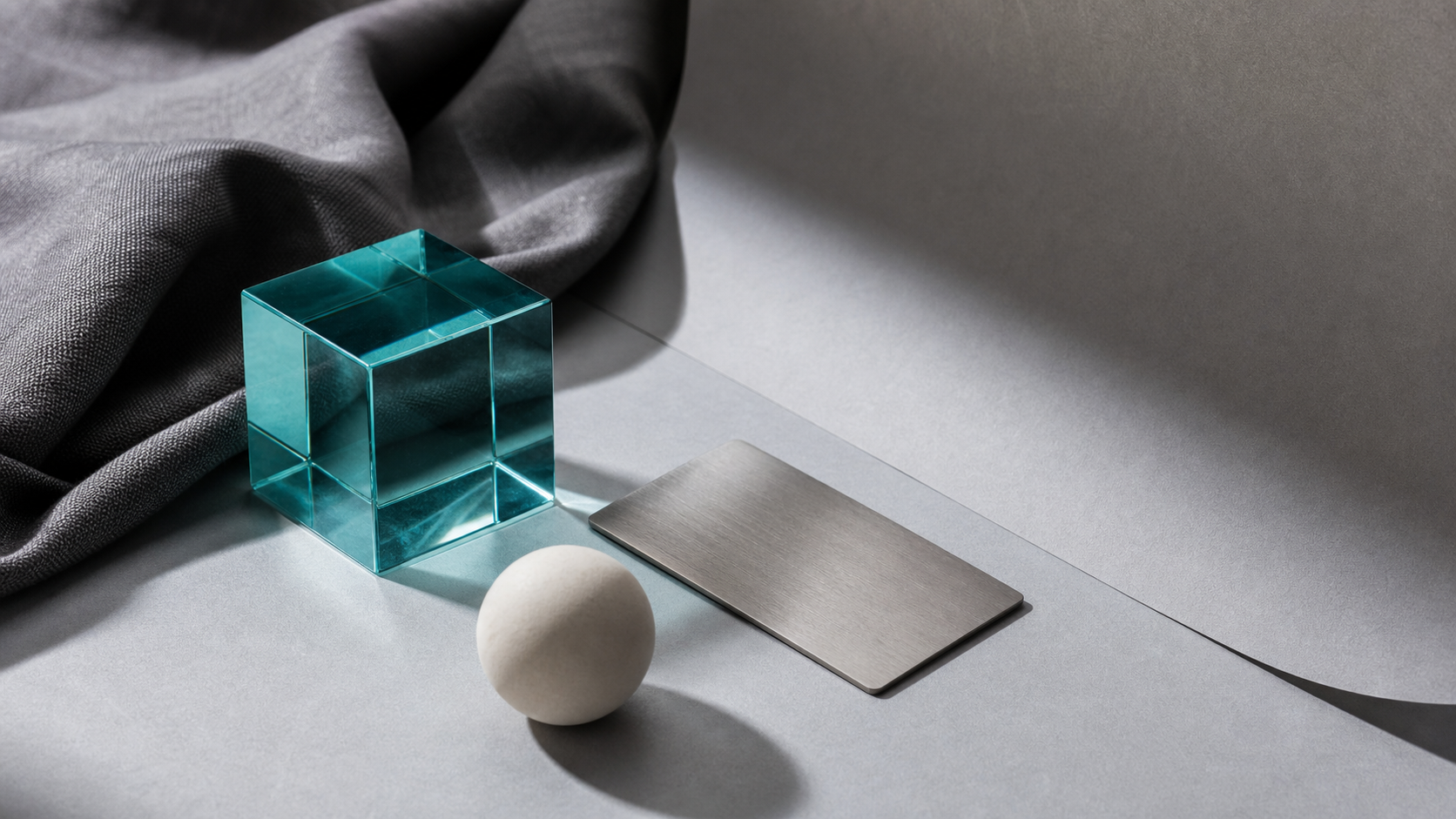
Another image-to-prompt example: a material still life
The reference is useful because every object contributes a promptable cue: glass refraction, fabric texture, matte ceramic, brushed metal, paper grain, and controlled side light.
Generated result: a clean reference still life with cyan glass, graphite fabric, ceramic sphere, brushed metal, and soft side light.
Prompt used in this case
The prompt turns the still life into structured art direction with object list, materials, palette, light direction, composition, and negative constraints.
Result read
The generated result is strong for reference extraction because it is visually simple but materially specific. The main risk is generic abstract styling, so the prompt names each material and surface behavior.
What worked
Each material has a clear visual role.
The composition has enough negative space for layout adaptation.
The scene is generic enough to adapt but specific enough to prompt from.
Errors and limitations
Too abstract
Reference prompts can become vague if they only say mood. Name materials and composition.
Material drift
Glass, ceramic, fabric, and metal need separate treatment.
Unwanted text
Reference still lifes should avoid readable marks unless text is intentionally part of the brief.
Negative Prompt
Negative Prompt
Use negative constraints to protect the clean reference language.
An image to prompt generator turns visible reference details into prompt language: subject, composition, lighting, materials, camera, style, and constraints. RefPrompt structures those details so the prompt can be reused across different AI image and video tools.
Why not just describe the image in one sentence?
A one-sentence description usually loses camera, lighting, material, and negative constraints. A structured prompt keeps the parts separate, which makes the next generation easier to control.
Can this workflow be used for AI video prompts?
Yes. The still reference can become a video prompt by adding camera movement, timing, continuity rules, and details that must remain stable across frames.