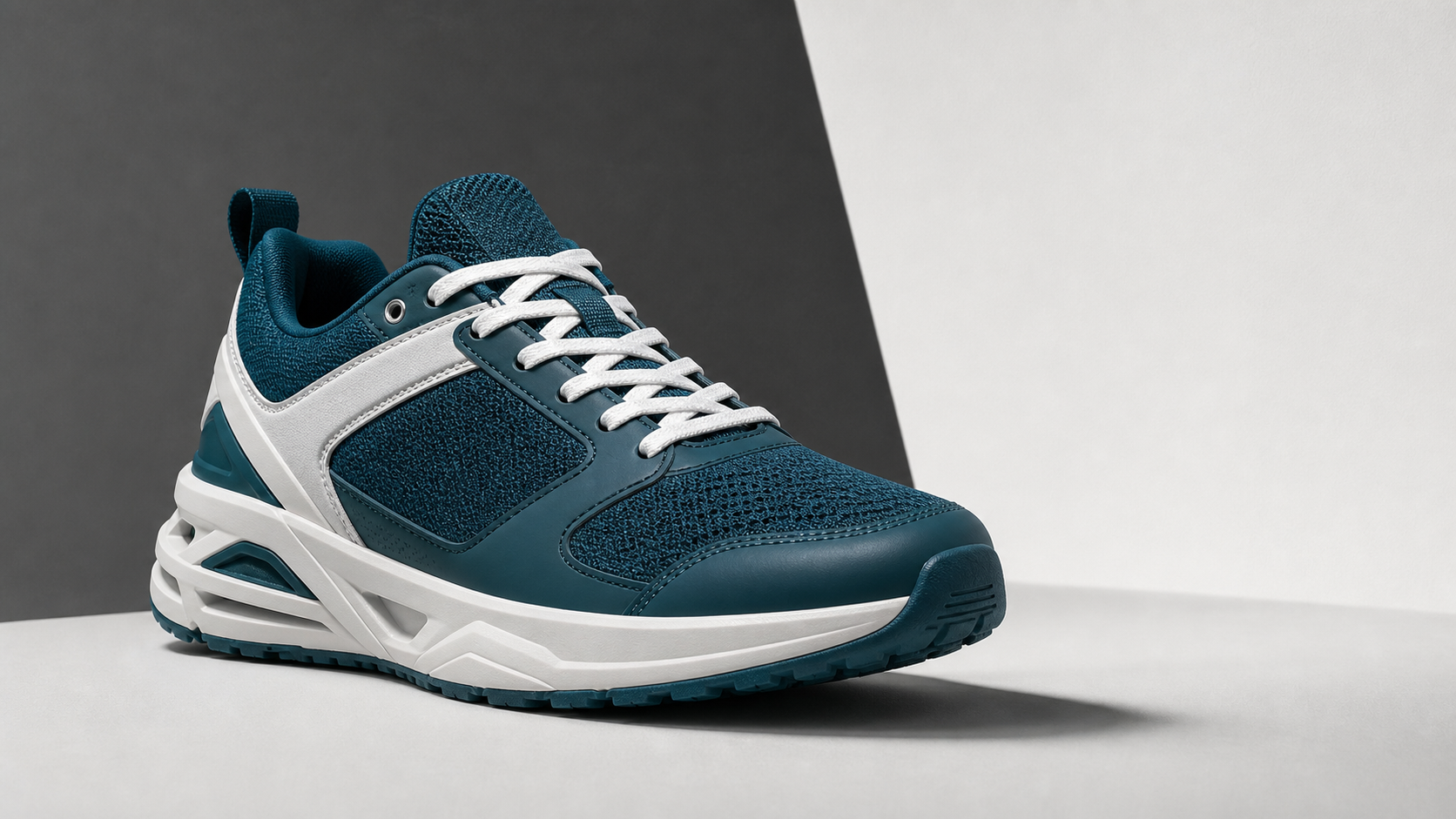
This negative prompt generator workflow shows how RefPrompt turns a reference into protection rules. Instead of using a generic list of bad words, the prompt targets the actual risks in the scene: product warping, fake text, unstable shadows, distorted motion, extra objects, and material artifacts.
RefPrompt builds negative prompts from the reference and target tool. It identifies the details most likely to fail, then writes constraints that protect shape, material, text, shadow, identity, and motion continuity.
Negative promptArtifactsProduct safetyAI video
What this workflow covers
Follow the reference analysis through reusable image and video prompts, a Negative prompt adaptation, a real result, practical limitations, and focused negative constraints.
Reference direction: teal product shape, laces, outsole detail, clean background, and risk areas that need negative constraints.
Use your own reference
Turn your own visual into a structured prompt.
Start with an image in the free web tool, or use the Chrome extension on an image or video already open in your browser.
The breakdown shows how to move from generic artifact lists to targeted negative prompts based on the actual scene.
Object-specific risks
Sneakers need protection for soles, laces, toe boxes, panels, stitching, and contact shadows.
Text and logo risks
If brand marks are not approved, forbid fake logos, unreadable labels, and random typography.
Material risks
Synthetic shine, low-resolution textures, and incorrect surfaces can make products look cheap.
Video risks
Motion prompts need negatives for flicker, jitter, warping, jump cuts, and unstable background geometry.
Image Prompt
Image Prompt before negative constraints
Start with the positive target so the negative prompt has context.
Teal and white running shoe product campaign image, crisp laces, detailed outsole, clean studio surface, sharp contact shadow, high-clarity color blocking, paid-social crop, premium sports product photography, no visible brand logo.
Video Prompt
Video Prompt
The video prompt adds time-based risks that need negative constraints.
Create a 5-second running shoe product reveal. Start on lace and outsole detail, then rotate to a full hero angle. Keep the shoe stable on the surface with consistent shape, stitching, material, shadow, and background.
Midjourney Version
Midjourney Version
Midjourney uses the negative prompt as direct artifact control.
teal white running shoe product campaign, crisp laces, detailed outsole, clean studio surface, sharp contact shadow, high-clarity sports ad --ar 16:9 --style raw --no fake logo, warped sole, melted toe box, mismatched laces, floating product, clutter
Negative prompt Version
Negative Prompt Version
This is the focused negative prompt extracted from the reference risks.
Negative prompt result for a teal running shoe reference
The running shoe reference has clear product details that can easily break: outsole, laces, toe box, heel shape, stitching, color, and shadow. A good negative prompt protects those details instead of listing unrelated artifacts.
Generated result: a teal and white running shoe with crisp laces, sole texture, clean studio background, and controlled contact shadow.
Prompt used in this case
The negative prompt targets warped soles, fake logos, mismatched laces, floating products, distorted heel shapes, inconsistent stitching, and unstable shadows.
Result read
The generated result keeps the shoe readable and commercially clean. The three-quarter product pose still needs grounding, so the negative prompt includes floating product and inconsistent shadow constraints.
What worked
The negative prompt is tied to the actual object, not a generic artifact list.
Product-shape constraints protect details that viewers notice immediately.
The same method works for images and video when continuity risks are added.
Errors and limitations
Too broad
A huge generic negative prompt can suppress useful style. Keep it specific to the reference and output goal.
Missing object risks
Every product has different failure points. Running shoes need sole, lace, stitch, and shadow constraints.
Video needs time-based negatives
For video, add flicker, jitter, jump cuts, morphing, and unstable background constraints.
Negative Prompt
Short Negative Prompt
Use the shorter version when a tool has limited prompt space.
A negative prompt generator writes constraints that tell an AI image or video model what to avoid. RefPrompt creates those constraints from the actual reference and output goal instead of using a generic artifact list.
Should negative prompts be long?
Only when the risks are specific. A focused negative prompt is usually better than a huge generic list because it protects the scene without suppressing useful style.
Do video prompts need different negative prompts?
Yes. Video negative prompts should include time-based problems such as flicker, jitter, morphing, unstable backgrounds, jump cuts, and changing object geometry.