Pika prompt generator workflow for playful AI video
This Pika prompt generator workflow turns a tactile reference frame into short-form motion direction. RefPrompt keeps style, action, camera path, object behavior, and negative constraints readable so the result feels playful without becoming chaotic.
RefPrompt adapts the reference for Pika by naming the object action, camera follow, visual style, scene scale, and constraints that keep the object and set stable.
PikaAI videoPlayful motionMiniature set
What this workflow covers
Follow the reference analysis through reusable image and video prompts, a Pika adaptation, a real result, practical limitations, and focused negative constraints.
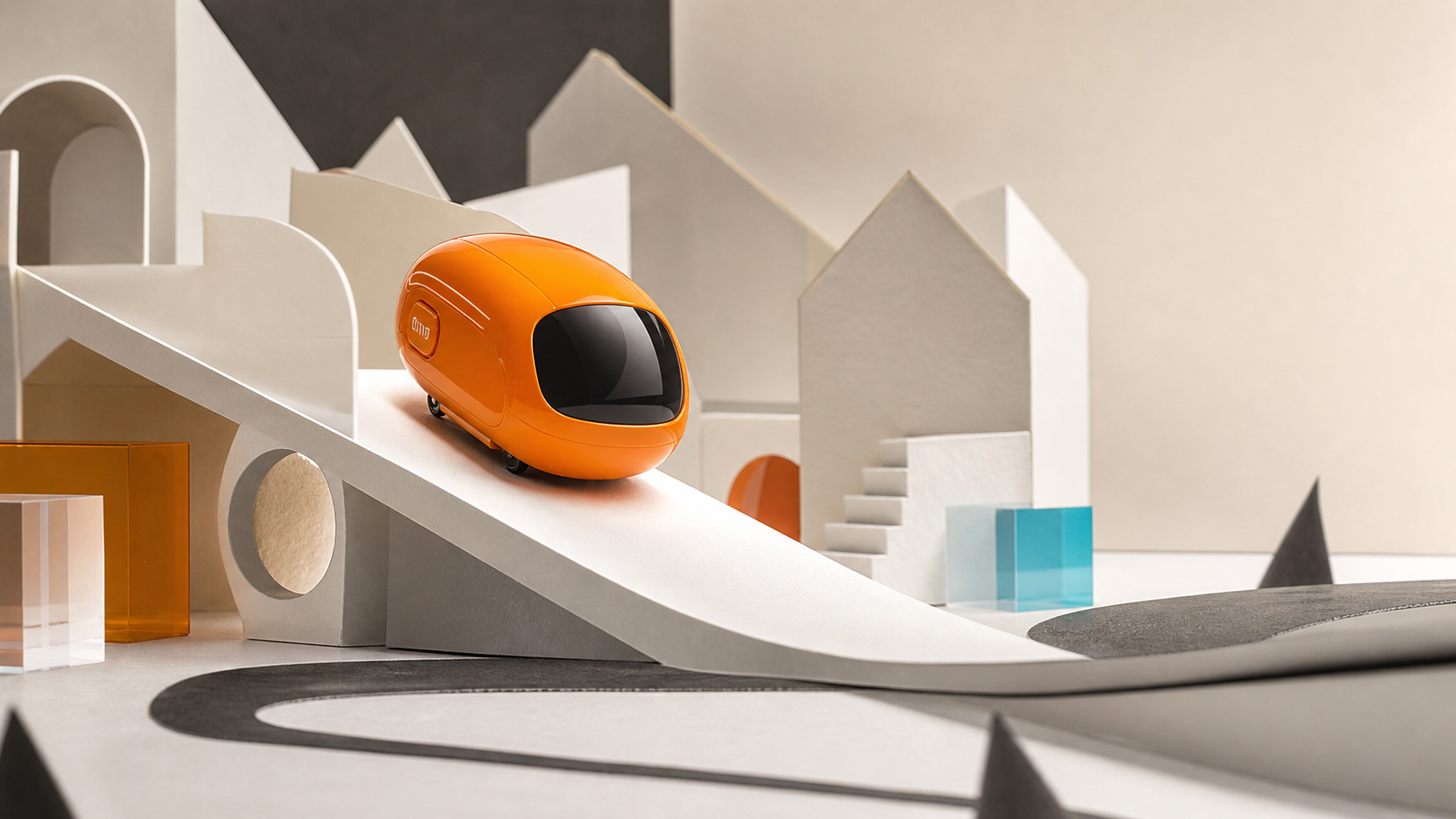
Reference direction: miniature paper set, orange capsule, diagonal ramp, tactile materials, and a short whimsical motion path.
Use your own reference
Turn your own visual into a structured prompt.
Start with an image in the free web tool, or use the Chrome extension on an image or video already open in your browser.
The breakdown captures what makes the scene promptable: a clear moving object, tactile set, direction of travel, and limited camera behavior.
Object action
The orange capsule rolls down the ramp in one readable movement.
Miniature scale
Paper architecture and acrylic blocks create a tactile crafted set.
Camera
A gentle follow move is enough; fast cuts would make the toy-scale scene unstable.
Continuity
Capsule shape, ramp, paper buildings, and lighting need to remain consistent.
Image Prompt
Image Prompt for Pika planning
The still prompt creates a motion-ready keyframe.
Playful miniature tabletop scene, glossy orange unbranded capsule on a white paper ramp, folded paper architecture, acrylic blocks, soft studio shadows, tactile photoreal stop-motion mood, no text, no logos.
Video Prompt
Video Prompt
The motion prompt adds one simple action.
Create a 5-second playful AI video. The orange capsule rolls slowly down the white paper ramp while the camera follows gently from left to right. Keep the paper city set, ramp, capsule shape, lighting, and shadows stable. No text, no logos, no sudden cuts, no cartoon transformation.
Midjourney Version
Midjourney Version
Midjourney creates the playful keyframe.
miniature tabletop paper city, glossy orange capsule on white ramp, acrylic blocks, tactile photoreal stop motion style, soft studio light, playful premium motion keyframe --ar 16:9 --style raw --v 6
Pika Version
Pika Version
Pika receives object action and continuity rules.
Use the reference frame as a miniature set. Animate the orange capsule rolling down the ramp for 5 seconds with a gentle camera follow. Preserve the capsule shape, ramp, paper buildings, acrylic blocks, and soft lighting. Avoid text, logos, object morphing, jump cuts, extra vehicles, or messy background changes.
Result & Limits
Pika prompt result for a miniature motion scene
The reference has a clear object, playful scale, diagonal ramp, paper architecture, and small set details. That gives Pika a simple object action without overloading the frame.
Generated result: an orange capsule on a paper ramp with tactile miniature-set details and clear motion direction.
Prompt used in this case
The Pika version asks for a five-second capsule roll down the ramp, gentle camera follow, stable miniature set, and no new text or logos.
Result read
The generated keyframe is useful for a short playful product-style clip. The main risk is cartoon drift, so the prompt asks for tactile photoreal materials.
What worked
The diagonal ramp gives the object a natural motion path.
The miniature set has enough texture to feel crafted rather than flat.
A single moving object keeps the video prompt controllable.
Errors and limitations
Cartoon drift
Playful prompts can become childish. Ask for tactile photoreal miniature materials.
Object morphing
Small vehicles and capsules can change shape unless geometry is protected.
Set clutter
Too many miniature props can distract from the motion path.
Negative Prompt
Negative Prompt
Protect the playful scene from common failures.
cartoon look, fake text, logos, morphing capsule, changing ramp, cluttered props, jump cut, camera shake, warped paper buildings, extra vehicles, flickering shadows, low-resolution materials.
CTA
Reference in, structured prompts out.
Use the same page structure inside RefPrompt: start from a visual reference, then copy the prompt version that fits the tool and channel.