Reference

Seedance 2 generator workflow from one reference frame

This Seedance 2 generator example shows how RefPrompt turns a cinematic glass-corridor reference into separate prompt outputs for still-image generation, video motion, Midjourney, and Seedance 2 continuity.

RefPrompt keeps the same reference DNA, then separates visual design from motion logic so Seedance 2 receives camera direction, pacing, subject behavior, and continuity instructions instead of a still-image-only description.

Video-firstCinematic corridorSeedance 2Motion continuity

What this workflow covers

Use this Seedance 2 generator page when you need a reference image, extracted art direction, a still-image prompt, a video prompt, a Midjourney version, a Seedance 2 version, and a focused negative prompt in one copy-ready workflow.

Seedance 2.0 prompt generatorSeedance AI video generatorimage-to-video prompttext-to-video promptreference image promptcamera movement promptsubject consistencycinematic AI video prompt
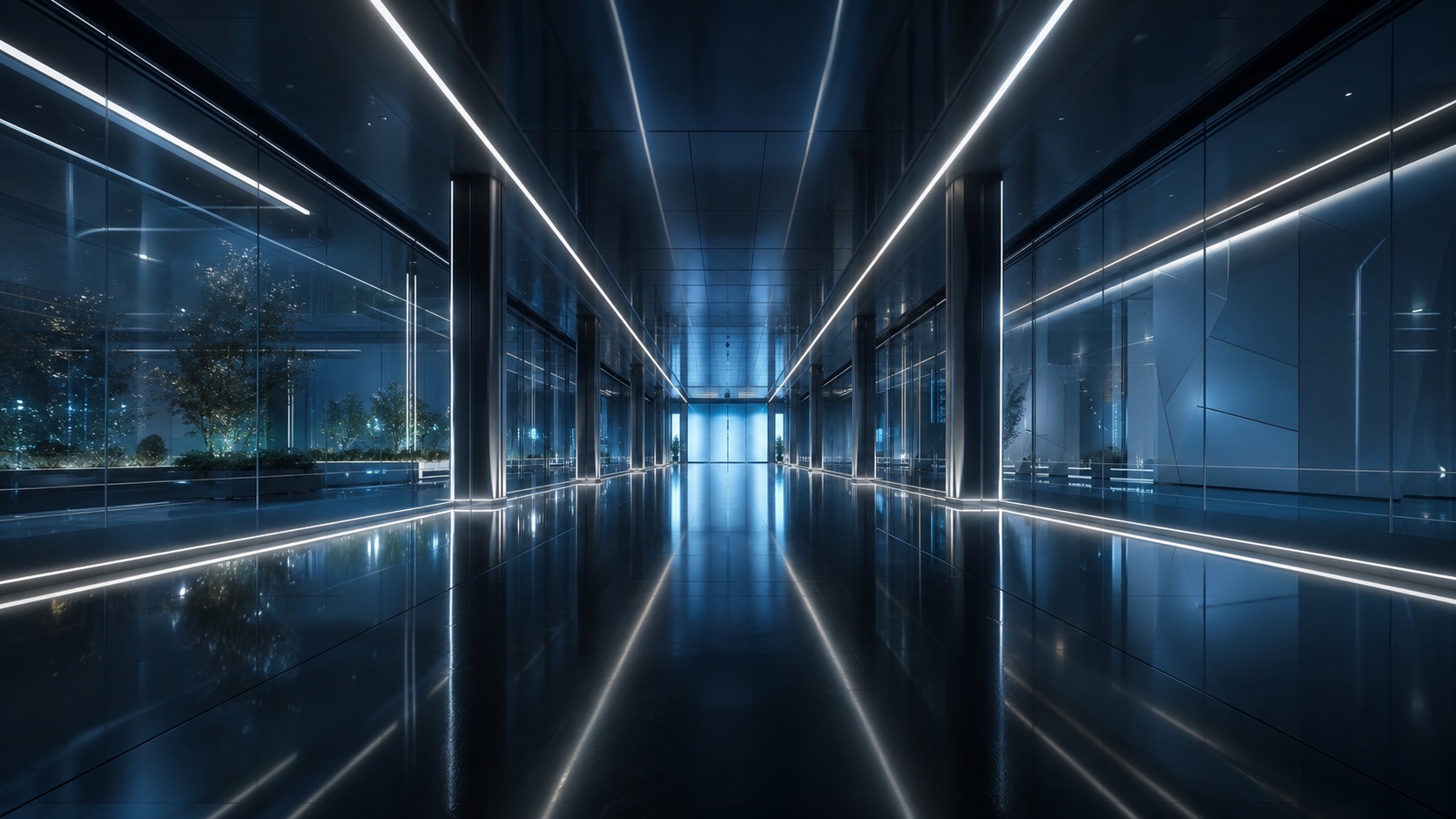
Futuristic glass corridor with blue reflections used as a Seedance 2 generator reference frame
Reference direction: reflective architecture, cool blue light, centered path, and controlled forward motion.

Style Breakdown

Style Breakdown for Seedance 2 generator

The style breakdown extracts practical cues from the frame: not just what the corridor looks like, but which visual constraints need to survive when the scene starts moving.

Spatial design
Long symmetrical corridor, glass wall panels, repeating vertical lines, and a clear vanishing point that can guide a forward camera move.
Lighting
Cool ambient blue with thin white highlights on glass edges, no harsh spotlight, and a polished reflective floor.
Mood
Controlled sci-fi calm, premium technology atmosphere, quiet tension, and a sense of moving through an expensive launch film.
Motion cues
The reference suggests a steady dolly or glide, subtle parallax from wall reflections, and no sudden cuts or handheld shake.

Image Prompt

Image Prompt for a Seedance 2 generator reference

The still-image prompt preserves the architectural style before adding any motion language.

Futuristic glass corridor with a centered vanishing point, reflective black floor, cool blue ambient light, thin white edge highlights, premium sci-fi architecture, symmetrical composition, clean negative space, cinematic depth, high-detail glass panels, polished editorial technology aesthetic.
Video Prompt

Video Prompt

The video version turns the same reference into pacing, camera behavior, and atmosphere.

A slow stabilized dolly forward through a futuristic glass corridor, the camera gliding toward the vanishing point while blue reflections slide across the walls and floor. Keep the motion smooth and quiet, with subtle parallax in the glass panels, soft ambient bloom, no sudden cuts, no handheld shake, and a controlled premium sci-fi launch-film mood.

Midjourney Version

Midjourney Version

Midjourney gets concise visual language, material cues, and composition control.

futuristic glass corridor, centered vanishing point, reflective black floor, cool blue ambience, white rim highlights, premium sci-fi architecture, symmetrical composition, cinematic depth, clean editorial lighting --ar 16:9 --style raw --v 6

Seedance 2 Version

Seedance 2 Version

Seedance 2 needs the motion logic to be explicit: continuous glide, reflection behavior, and a stable scene.

Start with a locked, centered view down the glass corridor. Move forward in one continuous slow glide for 6 seconds. Blue reflections should drift naturally across the wall panels as the camera advances. Keep the corridor geometry stable, preserve the vanishing point, maintain soft ambient light, and avoid fast zooms, jump cuts, wobble, or changing architecture between frames.

Negative Prompt

Negative Prompt

The likely failure modes are broken reflections, warped geometry, and unstable motion.

warped corridor lines, bending glass panels, flickering reflections, inconsistent vanishing point, jitter, handheld shake, fast zoom, sudden cuts, overexposed blue glow, noisy shadows, low-resolution glass texture, duplicated doors, melting architecture, rolling shutter, fisheye distortion.

CTA

Reference in, structured prompts out.

Use the same page structure inside RefPrompt: start from a visual reference, then copy the prompt version that fits the tool and channel.

Try this workflow with RefPrompt.

Frequently asked questions about Seedance 2 generator

What makes this a Seedance 2 generator workflow instead of a generic video prompt?

The Seedance 2 version describes continuity over time: a single forward glide, stable corridor geometry, reflection behavior, pacing, and what must not change between frames. A generic video prompt usually describes mood, but not the motion logic Seedance 2 needs.

Should I generate the reference image before using the Seedance 2 prompt?

Yes, if you want tighter control. The image prompt creates a strong keyframe first, then the Seedance 2 prompt turns that frame into a continuous moving scene with camera direction and stability constraints.

Why does this page include a Midjourney version for a Seedance 2 generator workflow?

Many creators build a polished Midjourney keyframe before animating it. The Midjourney version keeps the visual language concise, while the Seedance 2 version explains how that visual should move.

Related prompt workflows

Kling prompt generatorMidjourney prompt from imageAI product ad promptsperfume ad promptssneaker campaign promptsRunway video prompt generator