Reference

Seedream 5.0 Pro: prompts and a design-first workflow

Seedream 5.0 Pro is ByteDance Seed's new multimodal image model for production-grade visual design. It is built for more than one-shot image generation: use it to create high-density infographics and posters, work from sketches and reference images, make targeted edits, and prepare polished stills for downstream creative work.

RefPrompt converts a visual reference into a structured Seedream brief: hierarchy, exact copy, layout zones, brand colours, material cues, and edit constraints. That is more dependable than a loose mood-only prompt when the output needs legible text, a designed composition, or a repeatable visual system.

Based on ByteDance Seed's official Seedream 5.0 Pro announcement

Seedream 5.0 ProAI designReference-to-promptImage editing

What this workflow covers

Use this Seedream 5.0 Pro page when you need a reference image, extracted art direction, a still-image prompt, a video prompt, a Midjourney version, a Seedream 5.0 Pro version, and a focused negative prompt in one copy-ready workflow.

Seedream 5.0 Pro promptsSeedream 5 Pro image generatorSeedream AI design toolSeedream 5.0 Pro image editingSeedream infographic promptAI poster design promptreference image to promptSeedream to Seedance workflow
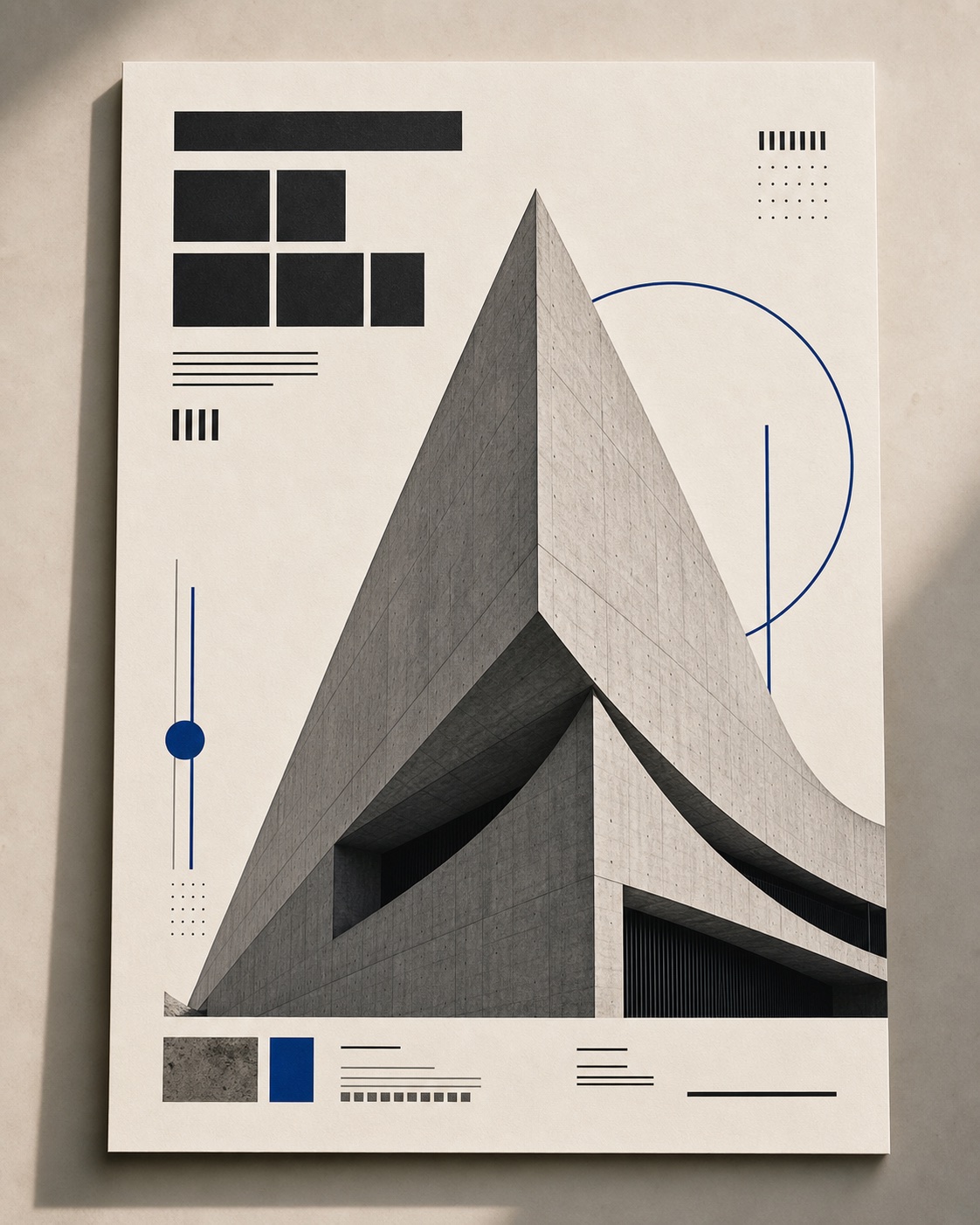
Editorial layout with printed design elements used as a Seedream 5.0 Pro visual-reference prompt example
Reference direction: readable hierarchy, a physical design surface, controlled type, and a clear focal subject.

Style Breakdown

Style Breakdown for Seedream 5.0 Pro

The official release highlights high-information design, interactive local editing, sketch-guided rendering, layer separation, multi-image composition, improved realism, and multilingual creation. This breakdown translates those capabilities into promptable directions you can reuse in Seedream 5.0 Pro.

Information hierarchy
Define a primary headline, supporting facts, visual grouping, and clear reading order before you ask for decorative details. High-density layouts work best when every element has a role.
Text and localisation
State the exact language, copy, and typographic treatment. Seedream 5.0 Pro is presented as supporting multilingual input and generation, including layout conventions for different scripts.
Controllable editing
Describe the target region, the exact change, and what must remain untouched. Use this for recolouring, replacing one object, or preserving a nearly finished composition.
Reference composition
Use reference images to anchor style, assets, and spatial relationships; then state how they should be combined rather than asking the model to infer the entire art direction.

Image Prompt

Seedream 5.0 Pro prompt for a high-information poster

Start with a clear design system: exact hierarchy, a controlled palette, and protected copy zones.

Design a premium editorial poster for a fictional architecture exhibition. Use a warm off-white paper background, a single sculptural concrete building as the central visual, and a disciplined Swiss-inspired grid. Place the large headline ‘FORM / LIGHT’ in the upper left, the date ‘12–18 OCT’ below it, and a small three-line venue block in the lower left. Keep all text crisp and correctly spelled, preserve generous negative space, add subtle natural paper grain, use charcoal black and muted cobalt as the only accent colours, and maintain a quiet contemporary gallery identity.
Video Prompt

Seedream keyframe prompt for a Seedance video workflow

Seedream 5.0 Pro is an image model, so use it to establish the art-directed keyframe before moving to a Seedance video prompt.

Create a cinematic keyframe for a 6-second design-film transition: a cobalt-blue exhibition poster on a textured concrete wall, late-afternoon side light, sharp readable type, one architectural silhouette, soft shadow falling to the right, calm premium cultural mood. Keep the central object, typography, palette, and grid stable. This still will be used as the visual reference for a separate Seedance animation prompt.

Midjourney Version

Reference prompt for visual exploration

Use a compact version when you are exploring visual directions before you commit the layout to Seedream 5.0 Pro.

editorial architecture exhibition poster, warm off-white paper, sculptural concrete building, disciplined Swiss grid, charcoal typography, muted cobalt accent, generous negative space, contemporary gallery identity, soft natural paper grain, precise hierarchy --ar 4:5 --style raw

Seedream 5.0 Pro Version

Seedream 5.0 Pro editing prompt

Use an explicit preserve/change instruction for a local revision instead of regenerating the whole asset.

Keep the poster composition, building silhouette, paper texture, all existing text, and the current lighting exactly unchanged. In the upper-right corner only, replace the small cobalt circle with a thin cobalt geometric line motif that follows the grid. Do not alter the headline, date, letter spacing, margins, colours outside the target area, or the shadow direction.

Negative Prompt

Negative prompt for Seedream 5.0 Pro design work

Protect the things that make a design usable: spelling, hierarchy, margins, and asset integrity.

misspelled text, unreadable letters, placeholder typography, extra headlines, distorted grid, uneven margins, cluttered layout, random logos, warped building geometry, oversaturated colours, harsh drop shadows, low-resolution paper texture, duplicated objects, changed copy, altered composition outside the requested edit area.

CTA

Reference in, structured prompts out.

Use the same page structure inside RefPrompt: start from a visual reference, then copy the prompt version that fits the tool and channel.

Try this workflow with RefPrompt.

Frequently asked questions about Seedream 5.0 Pro

What is Seedream 5.0 Pro?

Seedream 5.0 Pro is ByteDance Seed's multimodal AI image model, released on July 8, 2026. The official announcement positions it for professional visual creation, including information-heavy design, interactive precise edits, sketch-to-render work, layer separation, multi-image composition, realism, and multilingual generation.

Is Seedream 5.0 Pro the same as Seedance 5.0 Pro?

No. The official release is called Seedream 5.0 Pro and focuses on image and design generation. Seedance is ByteDance's separate video-generation family. A practical workflow is to create a controlled Seedream keyframe first, then use it as a reference for a Seedance image-to-video prompt.

How should I write prompts for Seedream 5.0 Pro?

Write like a creative brief: name the desired output, define hierarchy and composition, provide exact copy where needed, specify materials and lighting, then add explicit constraints. For edits, identify the target region, state the change, and list what must remain unchanged.

Can Seedream 5.0 Pro be used for poster and infographic design?

Yes. ByteDance's announcement specifically highlights complex information visualisation and high-density text rendering. For stronger results, give the model a concrete reading order, exact text, zones for each content block, and a limited palette instead of a broad request for a beautiful poster.

How does RefPrompt help with Seedream 5.0 Pro?

RefPrompt turns visual references into structured prompts. It helps separate layout, materials, lighting, text, and edit constraints so you can create a fuller Seedream brief, then adapt the same reference into an image-to-video prompt for Seedance or another video tool.

Related prompt workflows

Seedance 2 generatorKling prompt generatorMidjourney prompt from imageAI product ad promptsperfume ad promptssneaker campaign promptsRunway video prompt generator